
Introduction
In today's digital landscape, data privacy concerns are more pressing than ever. With technology advancing rapidly, the tools we choose significantly influence our ability to protect personal information. Offline AI tools, which execute their functions entirely on local hardware without needing internet access, have emerged as essential assets for privacy-conscious individuals. By keeping data processing restricted to personal devices, these tools minimize risks related to data breaches and unauthorized external access.
The Growing Need for Privacy in AI Tools
The rise of cloud-based AI applications has amplified privacy worries. When users' data is processed remotely, they often lose control, potentially exposing it to vulnerabilities. Regular data breach news stories highlight the necessity for secure alternatives. Offline AI tools alleviate these risks by keeping data processing on the user's device, ensuring both enhanced privacy and security.
Real-World Examples: Protecting Sensitive Data
Consider financial institutions that handle sensitive client information. By using offline AI tools, they can analyze data securely without risking exposure to online threats. Similarly, healthcare providers can maintain patient confidentiality by processing medical data offline.
Benefits of Offline AI Tools
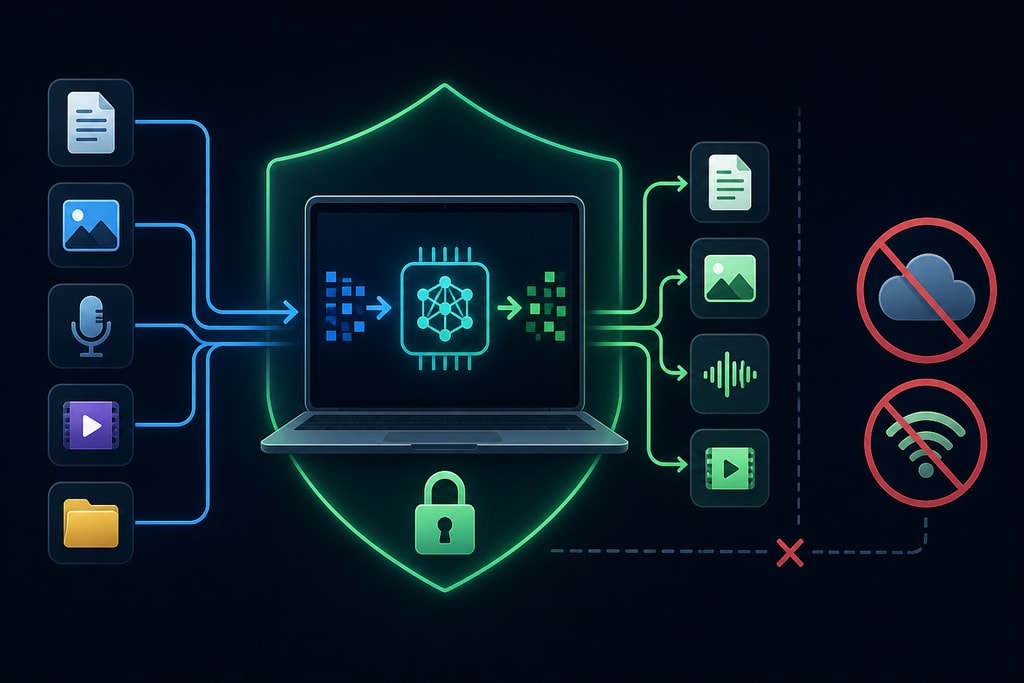
Enhanced Data Security
Local data processing ensures that sensitive information remains on the user’s device. This approach significantly reduces risks associated with data interception during transmission. For instance, KaraMagic operates entirely offline, safeguarding user data and ensuring privacy.
User Control Over Data
Offline AI solutions empower users with complete command over their information. Without dependence on external servers, users can manage, store, and remove data without worries about third-party access or predetermined data retention policies.
Reliability and Accessibility
Offline tools operate without internet connectivity, offering reliability and accessibility even in remote areas with limited connection. Users can perform tasks anytime, anywhere, uninterrupted by network availability issues.
Practical Example: KaraMagic User Experience
KaraMagic provides a seamless experience, allowing users to create karaoke and lyric videos offline. This local processing not only secures user information but also enhances usability with constant, uninterrupted performance.
Comparing Offline and Cloud-Based AI Tools
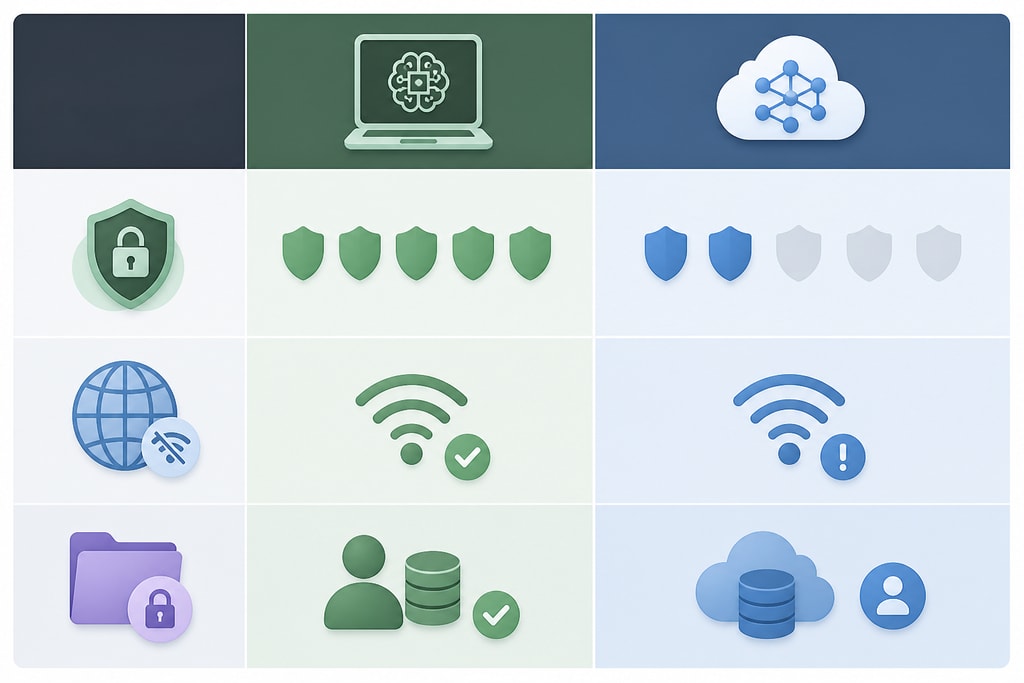
| Aspect | Offline AI Tools (e.g., KaraMagic) | Cloud-Based AI Tools | |——————————-|————————————-|——————————————| | Data Privacy | High. Data stays on user device | Variable. Data sent to external servers | | Internet Dependency | None | Required | | Control Over Data | Full control | Limited by provider policies | | Reliability | Consistent, independent of internet | Dependent on internet availability |
Mistakes to Avoid with Offline AI Tools
Underestimating Hardware Requirements
While offline AI tools are powerful, they demand adequate hardware. Users should ensure their devices meet technical requirements for optimal performance.
Neglecting Regular Updates
Manual software updates can be forgotten. Users should establish routines to check for and apply updates to benefit from security enhancements and new features.
How to Choose the Right Offline AI Tool
- Functionality: Identify tools with features matching your specific requirements. For instance, if privacy is a priority, KaraMagic's offline capabilities are ideal.
- Compatibility: Validate that the tool aligns with your operating system and hardware.
- User Reviews: Gather insights from user feedback to assess reliability.
- Support and Documentation: Opt for apps with extensive support and documentation for smooth installation and troubleshooting.
Frequently Asked Questions
Q: Are offline AI tools less effective than cloud-based ones?
A: Not necessarily. Modern offline AI tools leverage local hardware efficiently, offering performance comparable to their cloud-based counterparts.
Q: Can non-technical users easily navigate offline AI tools?
A: Absolutely. Many offline AI tools prioritize user-friendliness, providing detailed guides and support for all users.
Q: How are software updates handled for offline AI tools?
A: Updates are typically provided as downloadable files that users install manually. This allows users to maintain a secure, controlled software environment.
Conclusion
Offline AI tools like KaraMagic are paramount for privacy-focused users. By ensuring data remains on local devices, these tools offer superior privacy, data control, and reliability, crucial as digital privacy concerns continue to grow. Adopting offline AI tools proactively protects sensitive information, offering users peace of mind in an era increasingly defined by data.
For further insights and to explore KaraMagic's suite of offline AI applications, visit the KaraMagic homepage.
Related Links
By implementing these strategies and embracing offline AI tools, you can ensure a more secure digital experience in 2026 and beyond.