
Introduction
In the rapidly evolving landscape of content creation, YouTube remains a dominant platform, boasting over 2.7 billion monthly users as of 2026. (Presenc.ai) As competition intensifies, creators are turning to artificial intelligence (AI) tools to streamline workflows, enhance video quality, and increase audience engagement. This guide delves into the AI tools every YouTube creator should consider integrating into their production process, ensuring your channel remains impactful and competitive.
AI-Powered Scriptwriting and Content Planning
ChatGPT
Overview:
ChatGPT, developed by OpenAI, stands out as a versatile AI assistant known for its natural language processing capabilities. It aids creators in brainstorming video ideas, crafting scripts, and designing engaging video descriptions.
Key Features:
- Idea Generation: Use creative prompts and topic suggestions tailored to your niche.
- Script Development: Generate coherent and contextually relevant scripts from brief inputs.
- SEO Optimization: Suggest keywords and phrases to enhance video discoverability.
Practical Example: Suppose you're creating a video about sustainable fashion. ChatGPT can help generate script outlines and SEO keywords like "eco-friendly clothing" or "sustainable fashion tips."
Common Mistake: Over-relying on AI without adding personal insights diminishes authenticity. Always inject personal experiences and viewpoints into the AI-generated script.
Pricing:
- Free version available with basic features.
- Pro version at $20/month offering advanced functionalities and priority access. (TechRadar)
AI-Driven Video Editing and Enhancement
Descript
Overview:
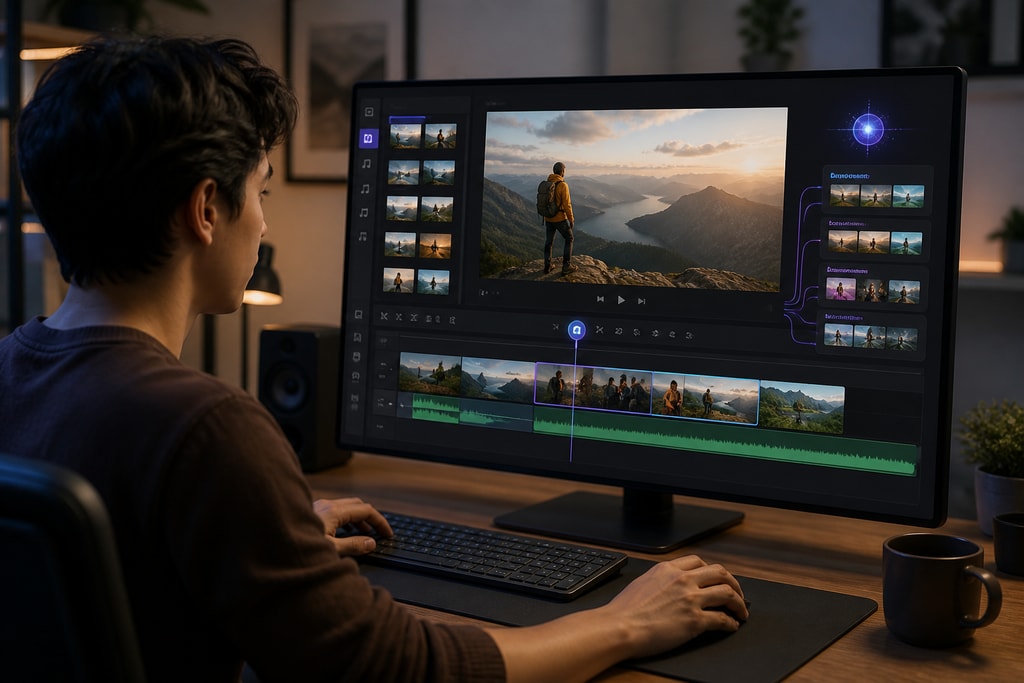
Descript revolutionizes video editing by allowing creators to edit video content through text-based commands, making the process intuitive and efficient.
Key Features:
- Text-Based Editing: Edit video by modifying the transcribed text.
- Overdub: Generate realistic voiceovers using AI voice cloning.
- Screen Recording: Seamlessly capture and edit screen recordings.
Decision Criteria: Choose Descript if you prioritize quick edits and have a content style heavily reliant on spoken word or interviews.
Pricing:
- Free plan with limited features.
- Creator plan at $24/month offering full access to advanced tools. (VantageLabsAI)
Veed
Overview:
Veed is an AI-powered video editor simplifying the creation of professional-quality videos with minimal effort.
Key Features:
- Text-to-Video: Convert scripts into engaging videos automatically.
- AI Avatars: Incorporate customizable AI-generated avatars into your content.
- Subtitle Generation: Automatically create and customize subtitles for accessibility.
Topic-Specific Advice: Use AI avatars for explainer videos or branding content to maintain a consistent visual presence.
Pricing:
- Free plan suitable for testing.
- Pro plan at $22/month supports 4K video exports and unlimited AI image creation. (TechRadar)
AI-Generated Thumbnails and Visuals

Canva Magic Studio
Overview:
Canva's Magic Studio leverages AI to assist in designing eye-catching thumbnails and visuals that attract viewers.
Key Features:
- AI Design Suggestions: Provides design recommendations based on your content.
- Customizable Templates: Offers a wide range of templates tailored for YouTube thumbnails.
- Image Enhancement: Automatically enhances image quality and adjusts elements for optimal visual appeal.
Mistakes to Avoid: Avoid cluttering thumbnails. Keep them simple and ensure text is legible even on small screens.
Pricing:
- Free version with basic features.
- Pro subscription at $12.99/month unlocking advanced design tools. (OneTube)
AI-Enhanced Voiceovers and Audio Editing
ElevenLabs
Overview:
ElevenLabs offers ultra-realistic AI voice generation and cloning, enabling creators to produce high-quality voiceovers without recording equipment.
Key Features:
- Voice Cloning: Replicate your voice or create unique AI-generated voices.
- Multilingual Support: Generate voiceovers in multiple languages with natural intonation.
- Emotion Control: Adjust the emotional tone of the voiceover to match the content's mood.
Practical Example: Elevate storytelling by adjusting voice tone for emotional scenes or dramatic highlights.
Pricing:
- Free tier with 10,000 characters per month.
- Starter plan at $5/month offering higher character limits and additional features. (VantageLabsAI)
AI Tools for Content Repurposing
OpusClip
Overview:
OpusClip utilizes AI to transform long-form videos into engaging short clips suitable for platforms like YouTube Shorts and TikTok.
Key Features:
- Automated Clipping: Identifies and extracts the most engaging segments from longer videos.
- Caption Generation: Adds accurate captions to enhance accessibility and engagement.
- Format Adaptation: Adjusts video dimensions and formats to suit various platforms.
Decision Criteria: Ideal for creators focusing on multi-platform presence and seeking rapid production of diverse content.
Pricing:
- Free version with basic functionalities.
- Pro plan at $15/month offering advanced editing tools and higher export limits. (OneTube)
AI-Driven SEO and Analytics
vidIQ
Overview:
vidIQ provides AI-powered insights and tools to optimize your YouTube channel's performance through data-driven strategies.
Key Features:
- Keyword Research: Identifies high-performing keywords to enhance video discoverability.
- Competitor Analysis: Offers insights into competitors' strategies and performance metrics.
- Trend Alerts: Notifies you of emerging trends relevant to your content niche.
FAQ: How can vidIQ help in increasing my YouTube visibility? vidIQ’s keyword and trend alert features can guide content creation, aligning with audience interests and increasing discoverability.
Pricing:
- Free plan with limited features.
- Pro plan at $10/month unlocking comprehensive analytics and optimization tools. (CreateGears)
AI-Powered Content Creation with KaraMagic
For creators focused on music-related content, integrating AI tools like KaraMagic can significantly enhance production quality. KaraMagic offers a suite of Mac desktop applications for creating karaoke and lyric videos locally, eliminating the need for cloud processing or subscriptions.
Key Features:
- AI Vocal Removal: Isolate instrumental tracks from music videos or audio files.
- Lyric Transcription and Timing: Automatically transcribe lyrics and synchronize them with the audio.
- Customizable Backgrounds: Personalize video backgrounds to align with your brand aesthetic.
Internal Links:
Product Options:
- KaraMagic Free: Provides essential features for creating karaoke videos.
- KaraMagic Pro: Offers advanced functionalities, including watermark-free exports and batch processing.
Conclusion
AI tools are revolutionizing the way YouTube content is created and consumed. By leveraging these technologies, creators not only optimize their production processes but also enhance their content’s appeal and reach. Whether you are focused on scriptwriting, video editing, or SEO optimization, there’s an AI tool designed to meet your needs and help your channel grow. Prioritize integrating these tools effectively into your workflow and continue exploring new advancements to stay ahead in the dynamic world of digital content creation.



