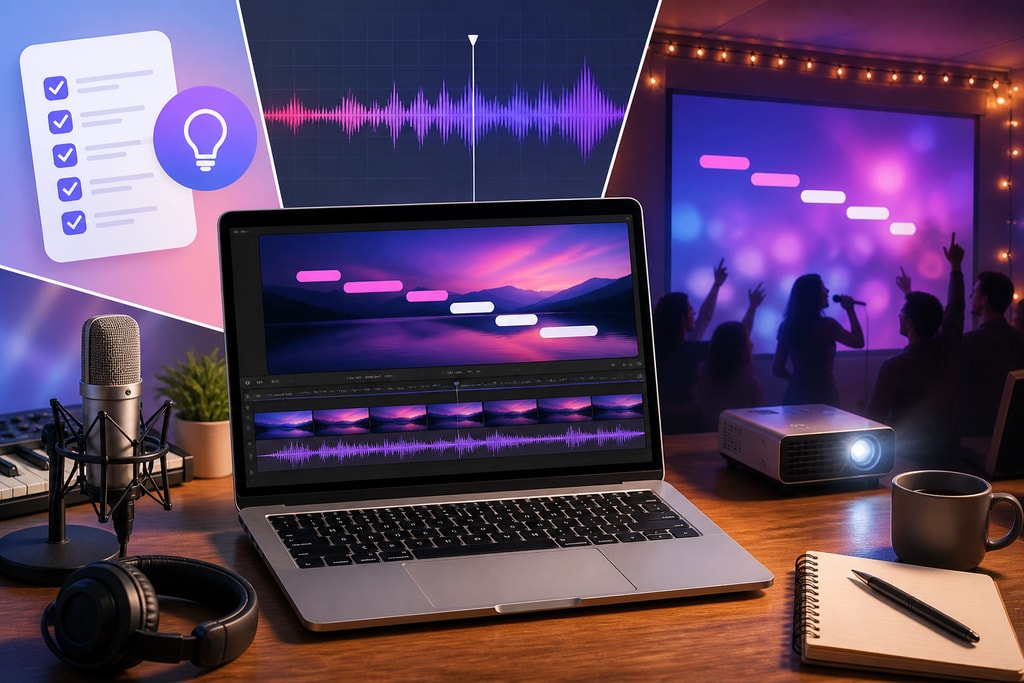
Creating captivating karaoke videos involves more than just displaying lyrics on a screen. For those looking to produce engaging and professional-quality videos, consider these thoroughly researched and practice-proven tips:
1. Start with High-Quality Audio
Importance of Pristine Audio
The foundation of any karaoke video is its audio track. High-quality, clear instrumental versions enhance the singing experience and ensure viewers remain engaged. When official instrumentals aren't accessible, AI-powered vocal removal tools like Audacity or Online Vocal Remover can help in creating one. Ensure there are no background hiss or distortions.
Practical Examples
Consider using websites like Karaoke Version, which offer studio-quality tracks suitable for any karaoke setup.
2. Accurate and Synchronized Lyrics
Seamless Lyric Matching
Accurate lyrics synchronized perfectly with the music help maintain a smooth sing-along experience. Invest time in double-checking lyrics from reliable sources like LyricFind.
Mistakes to Avoid
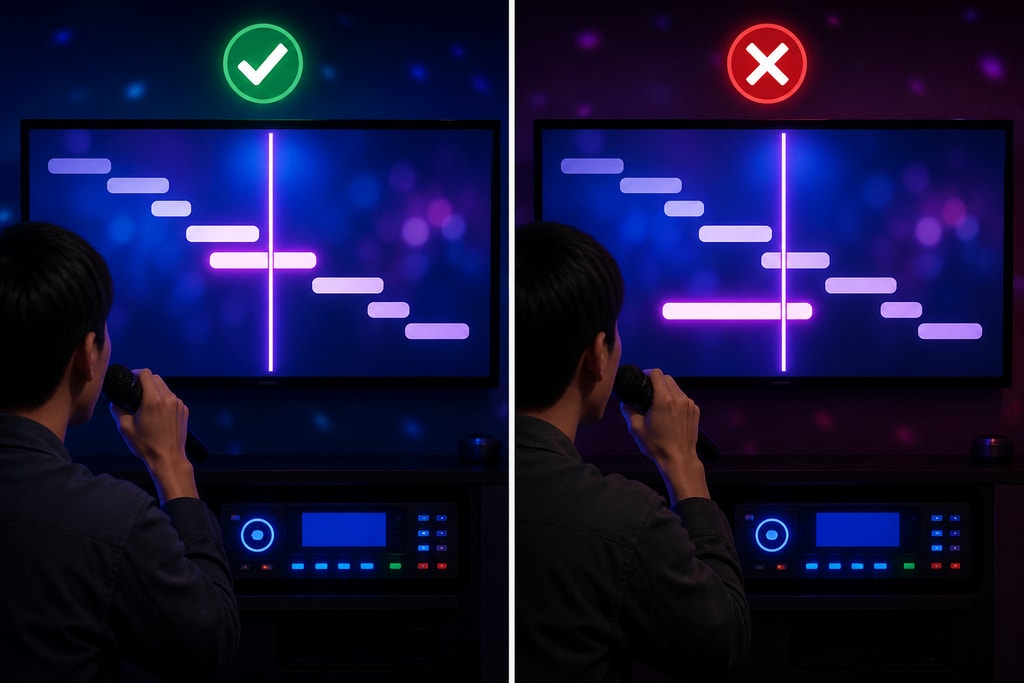
Avoid using automated scrolling without synchronization as it can lead to mismatched lyrics, frustrating singers.
Tools for Synchronization
Software like Youka or KaraMagic Pro simplifies this task with real-time syncing capabilities. For more details, visit the KaraMagic Pro page.
3. Choose Readable Fonts and Colors
Enhancing Readability
Choose large, sans-serif fonts with strong contrast against the background to improve readability. Avoid overly decorative fonts that blend with the background. Test fonts in different lighting setups to ensure optimal visibility.
Common Pitfalls
Do not use fonts that get distorted at different resolutions. Always test across various devices.
4. Implement Effective Lighting Techniques
The Art of Lighting
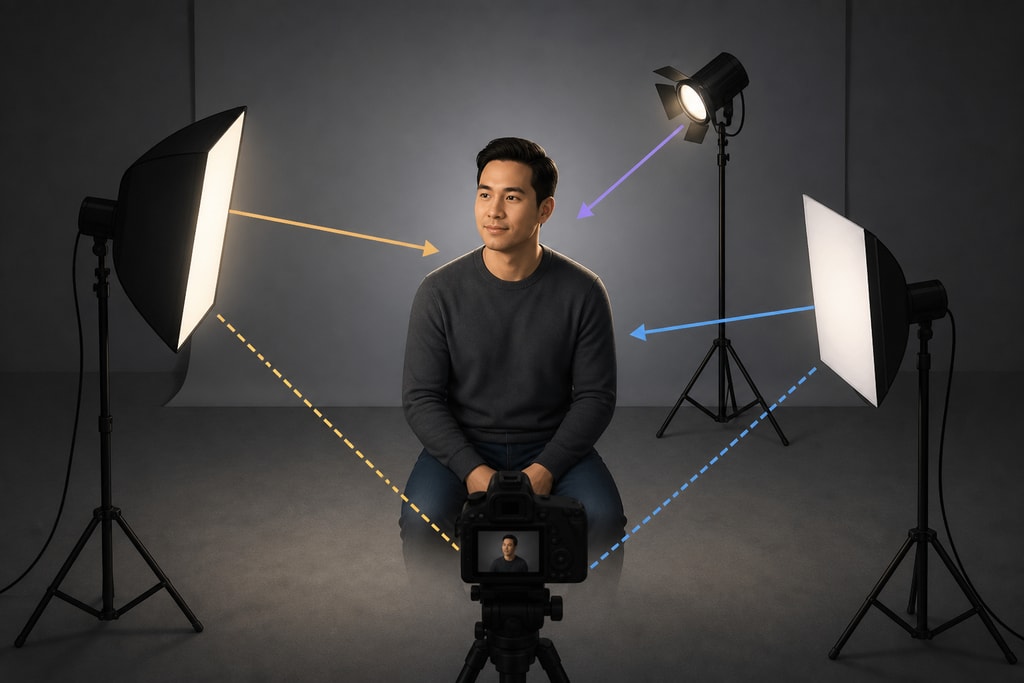
Quality lighting techniques are crucial for enhancing the visual appeal of your video. Use three-point lighting setups to illuminate subjects evenly. This technique, involving a key light, fill light, and backlight, reduces shadows and adds depth and professionalism.
Practical Tips
Experiment with angles and intensity levels to see what works best for the theme of your video. For more technical setups, refer to our detailed guide on KaraMagic homepage.
5. Select Appropriate Backgrounds
Creating the Right Mood
Choose backgrounds that enhance the song's mood without overwhelming the lyrics. Simple, static images or subtle animations work best.
Visual Harmony
Maintain a balance between visual interest and readability. The background should compliment, not compete with, the lyrics' visibility.
6. Maintain Consistent Text Placement
Placement Techniques
Position lyrics consistently throughout the video, generally at the bottom center. This helps singers know where to look and improves their experience.
Best Practices
Consider viewer feedback; regular users tend to appreciate consistency in text placement.
7. Use Highlighting to Indicate Timing
Visual Timing Aids
Utilize highlighting techniques or color changes to indicate when words should be sung. These visual cues help singers stay on beat, especially during quick tempo shifts.
Advanced Techniques
KaraMagic Pro offers diverse highlighting options, ideal for creating professional videos. Check it out on the KaraMagic homepage.
8. Optimize Video Resolution and Format
Export Settings
Export your karaoke videos in 1080p MP4 format for optimal compatibility. This format provides a great balance between quality and file size.
Mistakes to Avoid
Do not over-compress videos as it may lead to loss of quality.
9. Test Playback on Multiple Devices
Ensuring Universal Compatibility
Testing your video on various devices ensures that it displays correctly and that the audio syncs properly. Consider feedback from test audiences using different platforms like smartphones, laptops, and televisions.
Pro Tips
Different devices may display colors differently; ensure important visuals are easily distinguishable across platforms.
10. Utilize Reliable Karaoke Video Software
Software Solutions
Employing dedicated karaoke video creation software streamlines production. Tools like KaraMagic offer AI-driven features that enhance efficiency.
Additional Resources
Explore the rich features of specialized software at KaraMagic Pro.
FAQs
How can I ensure my karaoke video is engaging?
Focus on high-quality audio, accurately synced lyrics, and visually appealing backgrounds. Incorporate user feedback to continually improve.
What tools are recommended for beginners?
KaraMagic offers beginner-friendly features with advanced capabilities for more seasoned users.
Sources and Further Reading
- How to Make a Karaoke Video: Complete Guide
- Karaoke Video Export Settings Checklist
- Creating Karaoke Videos with Animated Lyrics
- Creating Karaoke Videos Like a Pro
For more information on creating karaoke videos, visit the KaraMagic homepage.