Introduction
Creating engaging lyric videos is crucial for YouTube creators aiming to captivate their audience. The rise of AI-driven tools, like LyricMagic, has made the production process more accessible and efficient. This guide explores how to optimize your lyric video production workflow using LyricMagic, ensuring high-quality content with minimal effort while maintaining your unique creative style.
Understanding LyricMagic
LyricMagic is a robust Mac desktop application designed to convert audio files into YouTube-ready lyric videos. Operating entirely offline, it safeguards user privacy and offers versatile features for both novice and professional creators.
Key Features
- AI-Driven Lyric Transcription: Automatically transcribes lyrics from audio files, drastically reducing manual input.
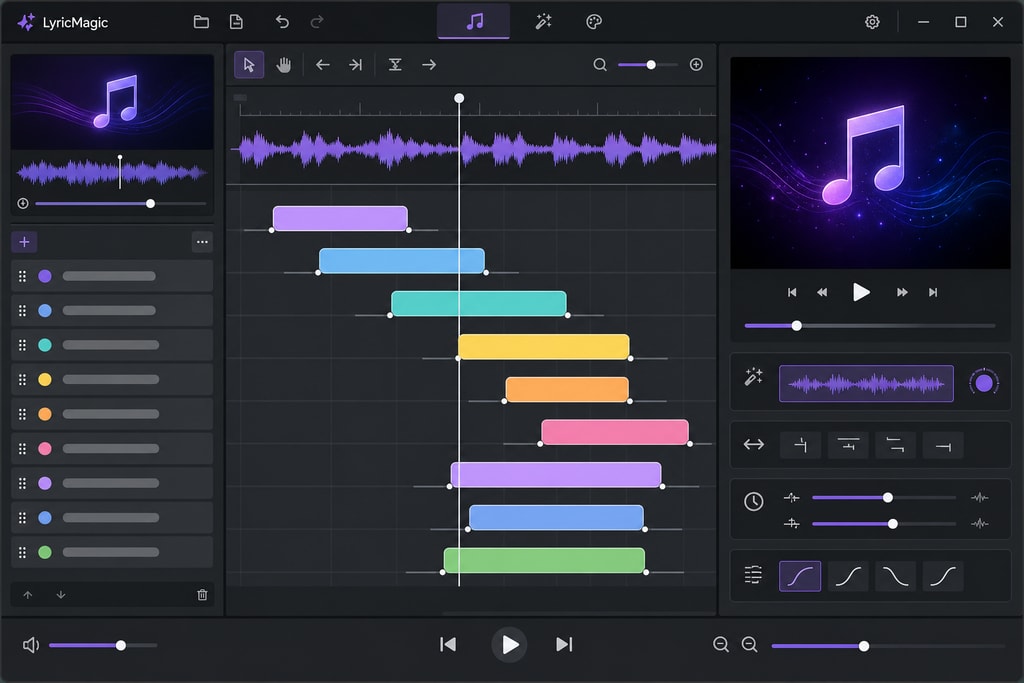
- Timing Synchronization: Aligns lyrics with audio for seamless playback, enhancing viewer experience.
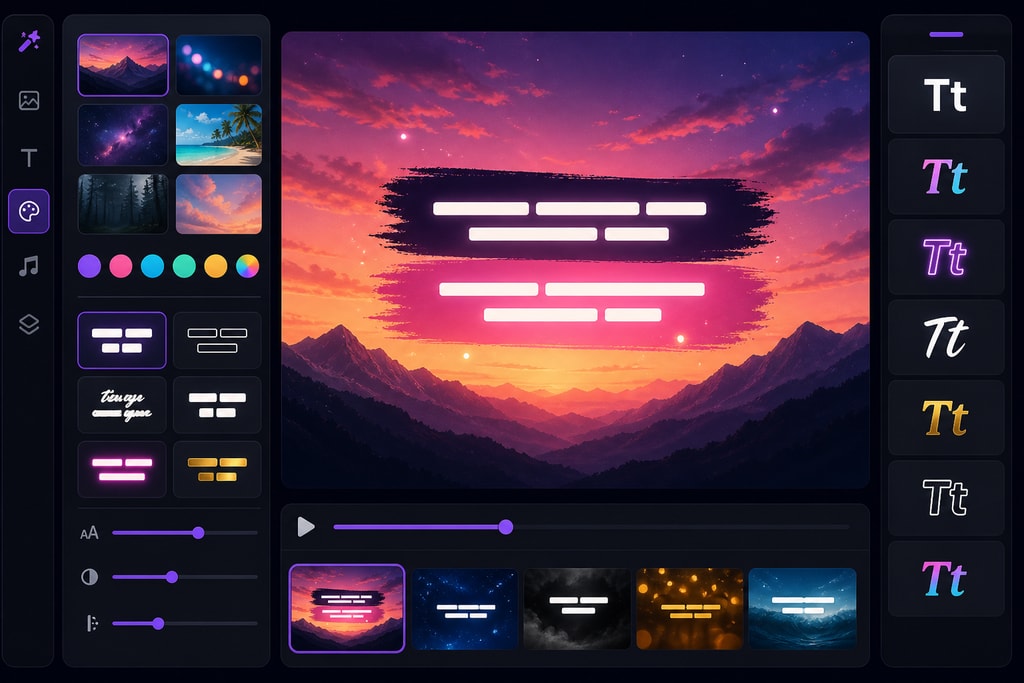
- Customizable Backgrounds: Personalize video backgrounds to match the song's theme, offering creative freedom.
- Batch Processing: Enables simultaneous creation of multiple videos, significantly boosting productivity.
Setting Up Your Workflow
To maximize efficiency with LyricMagic, adhere to these key steps:
1. Prepare Your Audio Files
Ensure your audio files are high-quality and properly mastered. A solid foundation is crucial for accurate lyric transcription and synchronization, ultimately impacting the final video quality.
2. Install and Configure LyricMagic
Download and install LyricMagic from the official website. Configure settings to align with your project needs, like output resolution and file format.
3. Import and Transcribe Lyrics
Import audio files into LyricMagic. Utilize the software’s AI capabilities for automatic lyric transcription. Edit the transcription to ensure accuracy, maintaining the artistic integrity of your work.
4. Customize Visual Elements
Choose or upload background images or videos that complement your song's theme. LyricMagic allows customization of font styles, sizes, and colors to enhance visual appeal and consistency with your brand.
5. Synchronize Lyrics with Audio
Leverage LyricMagic's timing synchronization feature to ensure that lyrics appear on screen at precise moments. This alignment is critical for maintaining viewer engagement.
6. Preview and Export
Preview the final video to check for any discrepancies. Once satisfied, export the video in your desired format and resolution, ready for upload to YouTube. Ensure the video adheres to YouTube's specifications for optimal performance.
Practical Examples and Use Cases
Example 1: Indie Artist Workflow
For indie artists, an efficient workflow is crucial. Start with high-quality demo recordings and follow the setup process above. Use customizable backgrounds to reflect your unique musical style, and batch process videos to support an album release.
Example 2: Professional Creators
Professional creators might focus on speed and consistency, using LyricMagic's batch processing to handle multiple projects. Integrate branding consistently across videos using similar visual elements customized to each song.
Mistakes to Avoid
- Neglecting Audio Quality: Poor audio can lead to inaccurate lyrics and a subpar viewer experience.
- Overcomplicating Visuals: While creativity is important, overcrowded visuals can distract and deter viewers. Keep it simple and thematic.
- Ignoring Platform Specifications: Failing to adhere to YouTube's video specifications can result in unexpected issues like cropping or poor quality.
Best Practices for Lyric Video Production
Maintain Readability
Choose fonts and sizes that are easily readable across various devices. Ensure sufficient contrast between text and background to avoid viewer strain.
Align Visuals with Song Mood
Select backgrounds and animations that reflect the song's emotion and genre. Consistent visual elements enhance viewer engagement and brand recognition.
Optimize for Platform Specifications
Adhere to YouTube's recommended video resolutions and aspect ratios to ensure the best viewing experience.
Leverage Batch Processing
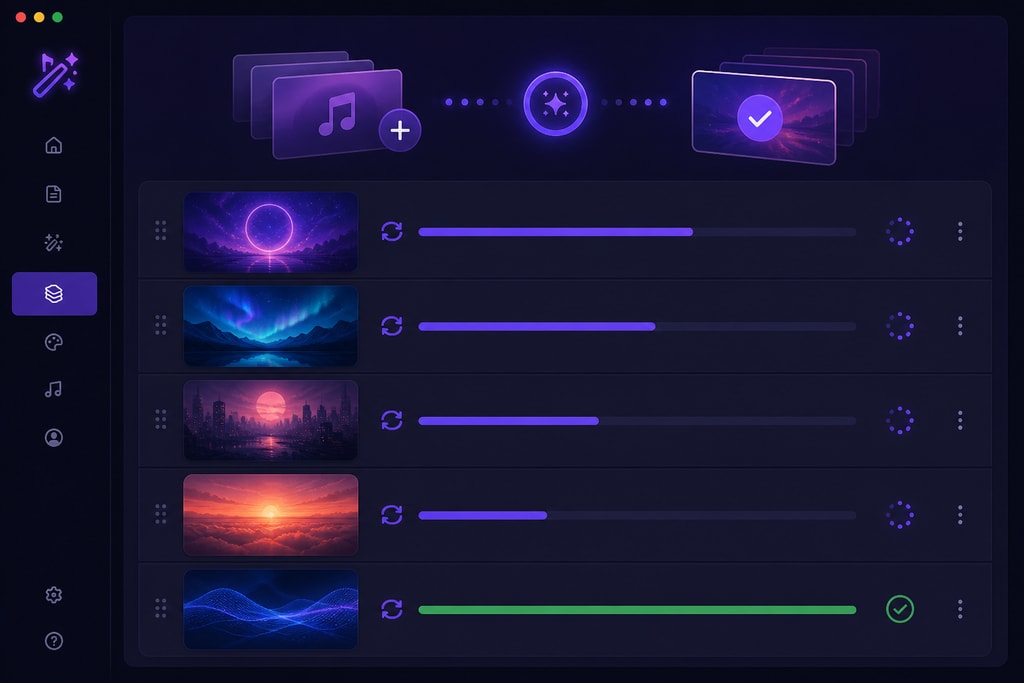
For creators managing multiple projects, LyricMagic's batch processing feature saves time and ensures consistency by allowing simultaneous video creation.
Integrating LyricMagic with Your Content Strategy
Incorporating LyricMagic into your content creation process offers several advantages:
- Time Efficiency: Automates transcription and synchronization, greatly reducing manual workload.
- Cost-Effectiveness: Eliminates the need for expensive software or outsourcing, perfect for tight budgets.
- Creative Control: Provides robust customization options to align videos with your brand identity, ensuring consistent quality and aesthetic.
Frequently Asked Questions
Q: Is LyricMagic compatible with all Mac devices?
A: LyricMagic is optimized for Apple Silicon Macs but remains compatible with other Mac devices running the latest macOS versions.
Q: Can I edit the transcribed lyrics within LyricMagic?
A: Yes, LyricMagic allows manual editing of transcribed lyrics to ensure accuracy and creative intent are maintained.
Q: Does LyricMagic support multiple languages?
A: LyricMagic supports various languages, though transcription accuracy may vary with language complexity and audio quality.
Q: Are there any subscription fees for LyricMagic?
A: LyricMagic operates on a one-time purchase model, with no recurring subscription fees, making it a cost-effective solution.
Conclusion
Optimizing your lyric video production workflow is crucial for maintaining a consistent and engaging YouTube presence. Leverage the advanced features of LyricMagic to produce high-quality lyric videos efficiently and cost-effectively. Discover more at LyricMagic Pro to enhance your content creation today.
Sources and Further Reading
- Lyric Video Workflow for Unsigned Artists: DIY, Fast, and Free in 2026
- AI Lyric Video Workflow 2026: Seedance 2.0 + Audio Sync
- Lyric Video Trends in 2026
- Lyric Video Making: The Complete AI Guide for 2026
- CoLyricist: Enhancing Lyric Writing with AI through Workflow-Aligned Support
Explore more about enhancing your production with LyricMagic Free and LyricMagic Pro.