Introduction
Creating professional karaoke tracks relies heavily on precise vocal removal techniques. With rapid advancements in AI technology, tools like KaraMagic have transformed this process, making it accessible and efficient both for amateurs and seasoned audio producers.
The Evolution of Vocal Removal
Vocal removal has transitioned from primitive attempts using simple equalization to sophisticated AI-driven processes. Today, the goal is not just to separate vocals but to do so with high fidelity and minimal artifacts.
Understanding Vocal Removal
The Basics
Vocal removal involves distinguishing and isolating vocal elements from musical compositions, maintaining high-quality instrumentals. This results in tracks suitable for karaoke, remixing, and more.
Common Challenges
- Complex Audio Mixing: Multi-layered tracks with intricate mixing can cause incomplete vocal suppression.
- Artifacts and Quality Loss: Ensuring minimal quality degradation remains a technical hurdle.
AI-Powered Vocal Removal Techniques
AI Source Separation
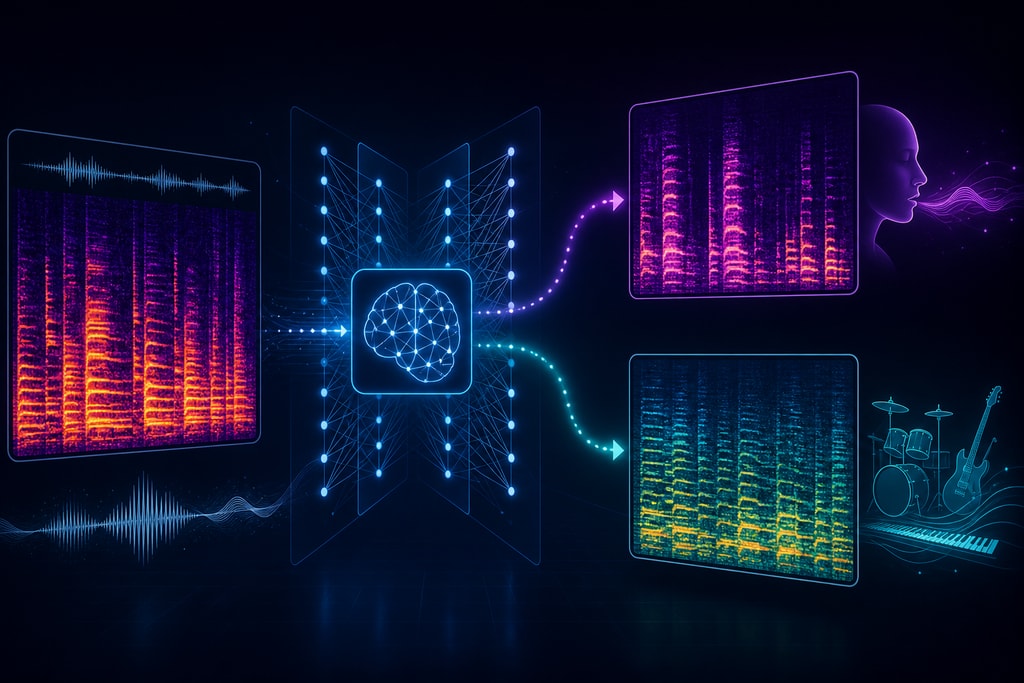
AI source separation leverages deep learning to differentiate vocals from instruments. Models analyze spectrograms, isolating elements with a precision that surpasses traditional methods.
Practical Applications:
- Music Production: Enhance remixes by isolating vocals or instrumentals.
- Research Applications: Study vocal patterns in educational or analytical software.
Mistakes to Avoid:
- Over-reliance on Defaults: Customize settings for better results.
- Ignoring Model Updates: Regular updates improve performance and accuracy.
Spectral Editing
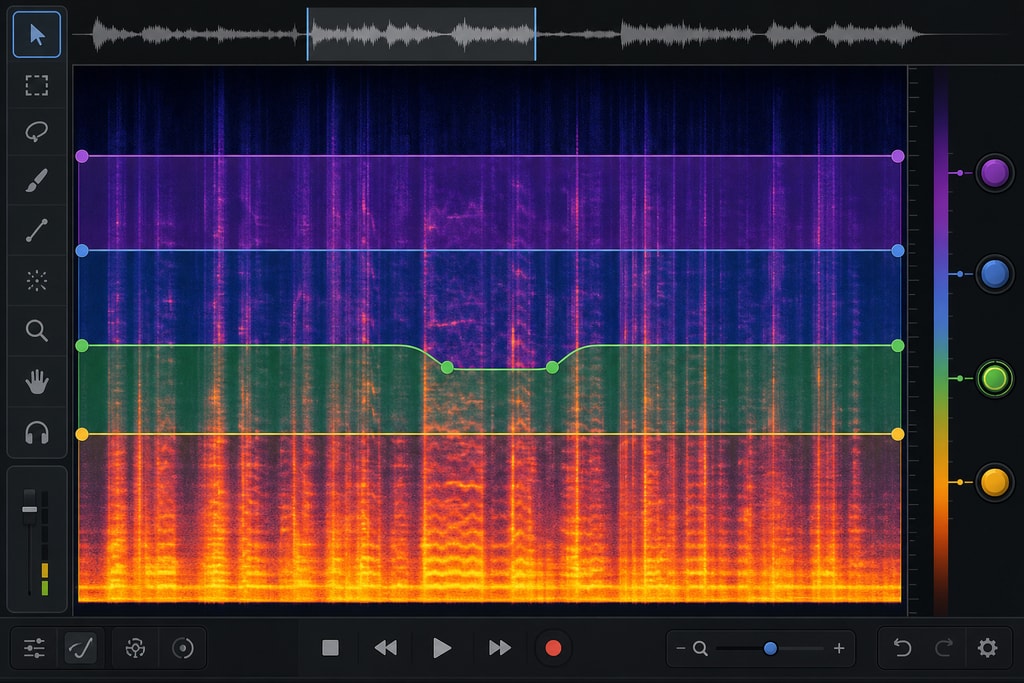
Spectral editing offers granular control, allowing users to manually remove specific frequencies associated with vocals.
Advanced Techniques:
- Frequency Band Manipulation: Target specific bands for precise tuning.
- Artifact Spotting: Use visual cues to identify unwanted artifacts.
Decision Criteria:
- Time Investment: Requires more time and expertise than AI automation.
- Clear Objectives: Best used for tracks with complex vocal overlaps.
KaraMagic: Your Simplified Solution
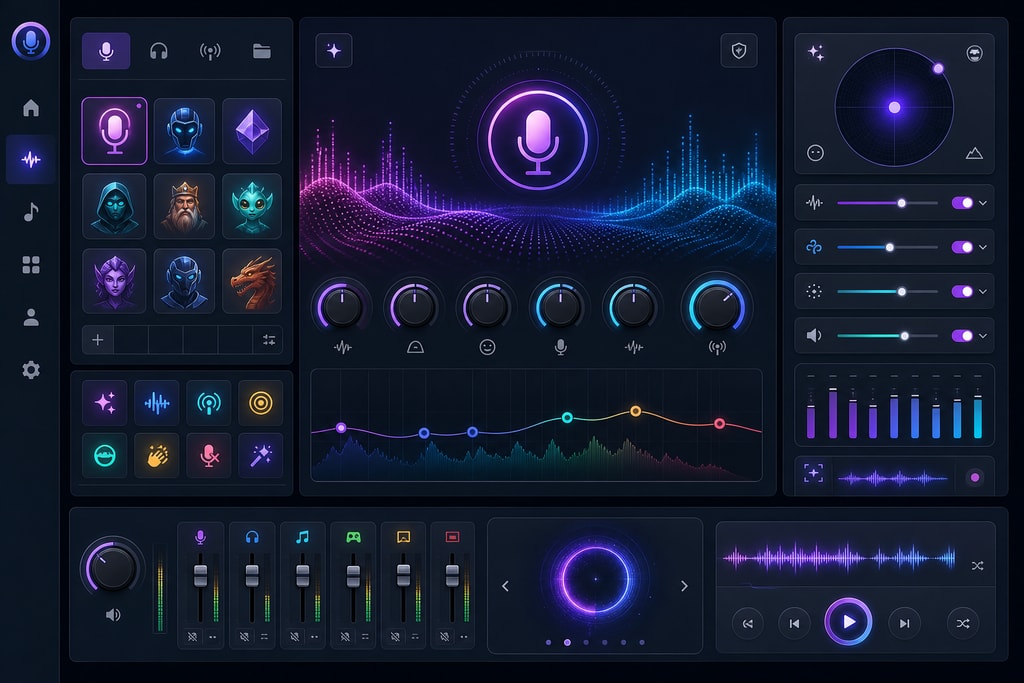
KaraMagic provides user-friendly applications for Mac users, streamlining the vocal removal process through AI-powered features.
Key Features
- AI Vocal Removal: Efficiently separates vocals from instrumentals.
- Lyric Transcription and Syncing: Converts lyrics and syncs them seamlessly with audio.
- Custom Backgrounds and Editing (Pro): Personalize visuals for enhanced video quality.
Explore the advanced features of KaraMagic Pro for a refined karaoke creation experience.
Step-by-Step Guide: Removing Vocals with KaraMagic
- Installation:
- Download KaraMagic from the official site.
- Follow installation prompts to set up on your Mac.
- File Selection and Importation:
- Open the application and import audio or video files.
- Supported formats include MP3, MP4, etc.
- Conversion Initiation:
- Click 'Convert' to start processing vocal removal and lyric synchronization.
- Evaluate AI-generated separation for precision.
- Customization:
- Edit transcribed lyrics in the Pro version.
- Choose appealing backgrounds to enhance visual elements.
- Employ batch processing for efficiency.
- Export and Finalization:
- Export the final karaoke video; Pro version eliminates watermarks.
Best Practices
- Source Quality: Utilize high-quality files with minimal background interference.
- Learning Curve: Familiarize yourself with settings and options.
- Routine Updates: Regularly update KaraMagic to access new features and improvements.
Frequently Asked Questions (FAQ)
Q: Can KaraMagic operate offline?
A: Yes, KaraMagic functions entirely offline, securing your privacy and making it convenient to use anytime.
Q: Is KaraMagic compatible with older Mac models?
A: KaraMagic is optimized for Apple Silicon Macs. Compatibility with Intel-based models may be limited.
Q: What are the main differences between the free and Pro versions?
A: The Free version includes a watermark and lacks advanced customization features like lyric editing and custom backgrounds found in the Pro version.
Q: How does KaraMagic ensure audio quality?
A: By employing state-of-the-art AI algorithms, KaraMagic minimizes quality loss and prevents common artifacts during vocal removal.
Conclusion
Innovations in AI continue to democratize vocal removal, enabling users to craft high-quality karaoke tracks effortlessly. Whether starting as a hobbyist or working as an industry professional, KaraMagic offers robust solutions tailored to elevate your karaoke creations. Explore further with KaraMagic Pro and discover a whole new world of possibilities.
Sources and Further Reading
- KaraMagic Official Website
- How to Remove Vocals from a Song
- Removing Vocals: Methods and Techniques
- AI Vocal Removers: Top Picks
- Step-By-Step Vocal Removal
—
Note: Information is up-to-date as of October 2026. For the latest updates, visit the KaraMagic website.