Introduction
In the burgeoning world of YouTube content, lyric videos have carved out a niche, offering artists a unique way to visually engage audiences. The combination of lyrics with music can captivate viewers, but the process of creating these videos often seemed daunting until the introduction of advanced tools like LyricMagic. This guide delves into effective workflows and practical advice for producing stellar lyric videos using LyricMagic, enhancing both the efficiency and the creative potential of creators.
The Power of LyricMagic Tools
LyricMagic simplifies lyric video creation through its two core offerings:
- LyricMagic Free: An entry-level tool perfect for beginners, which converts audio files to YouTube-ready lyric videos through AI-powered transcription and timing.
- LyricMagic Pro: Designed for professional creators, offering enhanced features like lyric editing, custom visuals, and batch processing for a streamlined, high-level production experience.
Both versions operate offline on Mac desktops, prioritizing user privacy and offering an uninterrupted creative process.
Crafting the Perfect Lyric Video: Step-by-Step Workflow
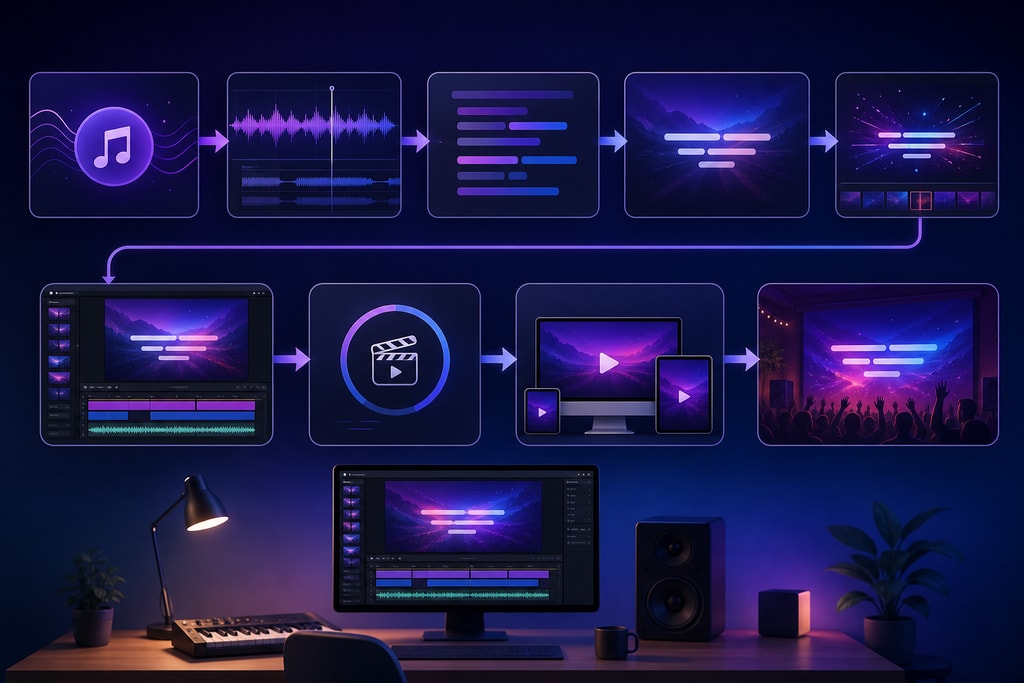
1. Preparing Your Audio File
Begin with a finalized, high-quality audio file in MP3 or WAV format. Quality audio is critical for accurate lyric synchronization, a foundational element of an engaging lyric video.
2. Transcribing Lyrics with Precision
- Automatic Transcription: LyricMagic uses sophisticated AI algorithms to transcribe lyrics accurately from your audio file, minimizing manual effort.
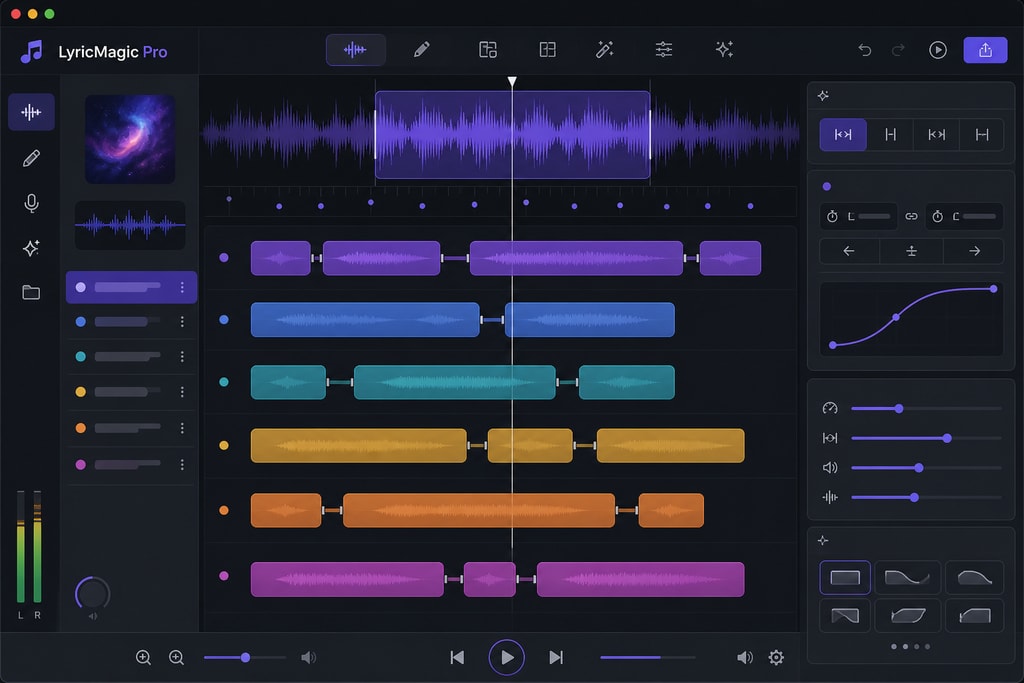
- Editing Tools: With LyricMagic Pro, review and amend transcriptions to correct any errors, ensuring that the final output is precisely as intended.
Inline adjustment becomes effortless, allowing for perfection in the display of your lyrics.
3. Effortless Synchronization of Lyrics and Audio
- AI-Powered Timing: Employ the auto-alignment feature for near-perfect synchronization of lyrics and audio. This removes the guesswork and labor-intensive synchronization tasks.
- Control & Precision: For creators seeking artistic control, LyricMagic Pro offers manual adjustments for lyric timing, giving you the creative freedom to match lyrical delivery to your artistic vision.
4. Enhancing Visual Elements with Customization
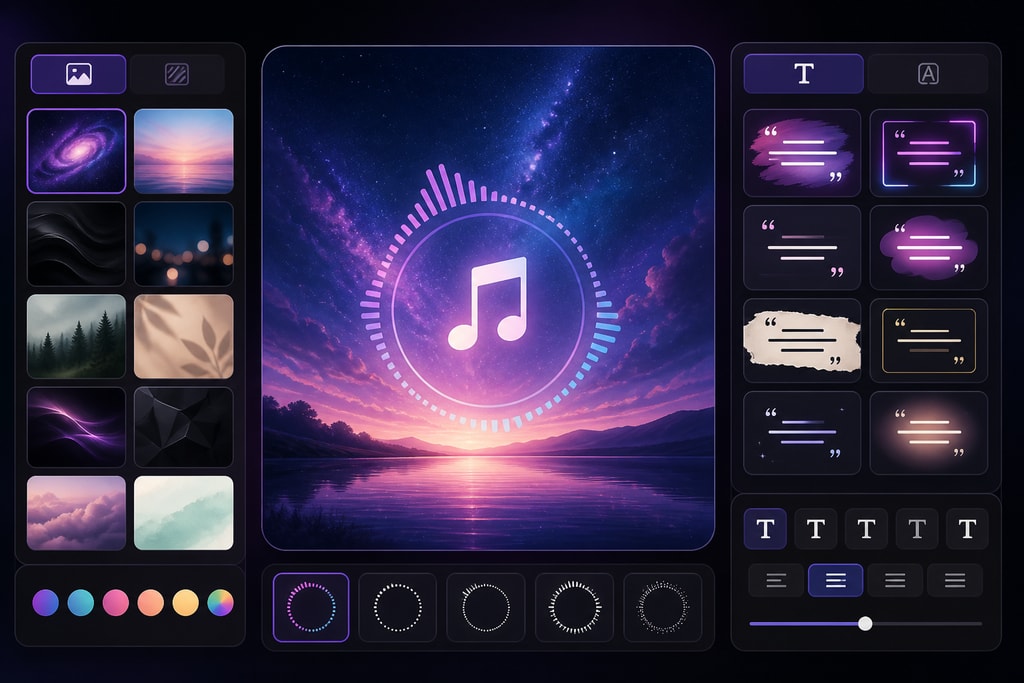
- Backgrounds: Select from a curated array of default backgrounds or bring a personalized touch with custom images. This sets the video’s mood and complements the song's theme.
- Text Styles: Adapt font styles, sizes, and colors, ensuring your video’s text stays true to your brand or aesthetic preferences.
- Dynamic Animations: Integrate animations to add a lively pace and increase viewer engagement, ensuring the video maintains viewer attention without overshadowing the lyrics.
5. Exporting Your Video for Maximum Impact
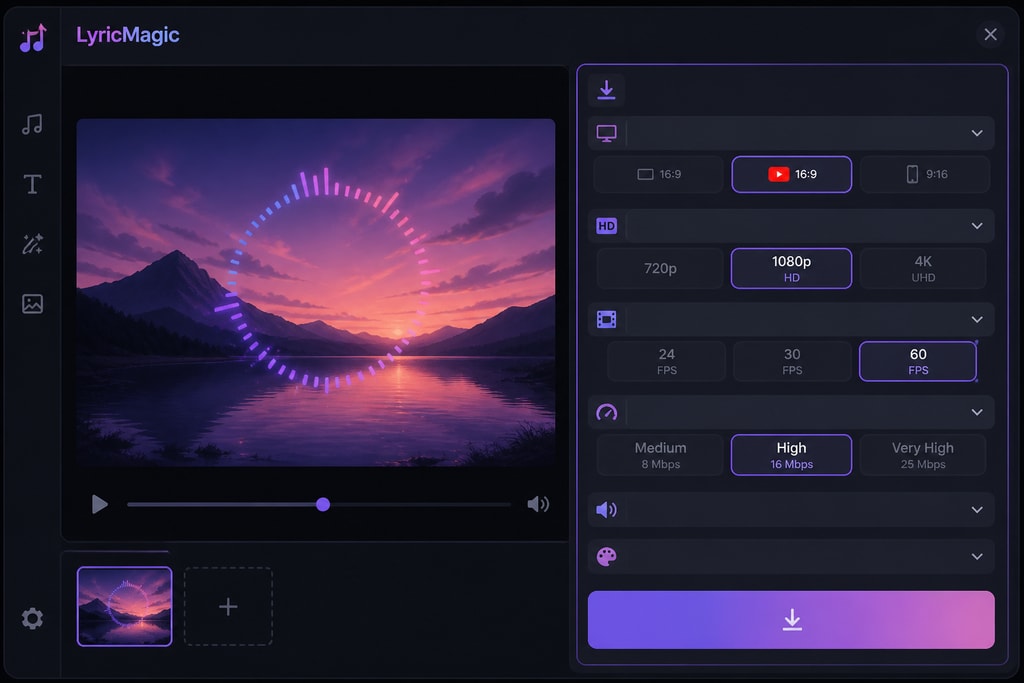
- High-Definition Output: Export videos in HD formats tailored for YouTube, ensuring your audience experiences crisp, clear visuals.
- Efficient Batch Processing: Utilize batch processing in LyricMagic Pro to create multiple videos simultaneously, a game-changer for prolific creators with extensive video series.
Pro Tips for Lyric Video Production Success
- Consistency is Key: Develop a recognizable visual style across your videos to strengthen your brand identity and audience retention.
- Maximize Readability: Choose fonts and text colors with adequate contrast. This ensures lyrics are easy to read against any background.
- Maintain Engagement: Subtle animations and smooth transitions retain viewer engagement, enhancing the visual experience without distracting from the lyrics.
Integrating LyricMagic into Your Creative Workflow
Leveraging LyricMagic not only elevates the quality of lyric videos but also optimizes your workflow by saving time on traditionally laborious tasks. The offline operation assures full data privacy during video creation. For those aiming to enhance privacy and data security, LyricMagic aligns perfectly with these priorities.
Expert FAQ
Q: Can I use LyricMagic on other operating systems?
A: Currently, LyricMagic is exclusively available for Mac desktops. There are plans to potentially expand support, so stay updated via the LyricMagic blog.
Q: What languages does LyricMagic support?
A: LyricMagic’s AI transcription supports primarily English, though varying accuracy for other languages is possible.
Q: Is internet required for LyricMagic?
A: No, the software functions offline, safeguarding your projects and ensuring they remain private.
Q: Can LyricMagic Pro incorporate custom animations?
A: Yes, the Pro version equips you with the ability to integrate various custom animations to suit individual creative visions.
Q: Is there a demo or trial available for LyricMagic Pro?
A: You can start with LyricMagic Free and upgrade through LyricMagic Pro for advanced capabilities.
Conclusion
The task of creating visually captivating lyric videos is made approachable with tools like LyricMagic, empowering both novice and seasoned YouTube creators to produce memorable content. By following these strategies and using LyricMagic's tools, you can craft videos that truly resonate with your audience. Begin your journey with LyricMagic Free, and explore LyricMagic Pro to unlock a treasure trove of professional features.
Sources and Further Reading
- Lyric Video Workflow for Unsigned Artists: DIY, Fast, and Free in 2026
- How to Make a Lyric Video for YouTube (Step-by-Step)
- Lyric Video Maker: Formats That Actually Work on Spotify Canvas, TikTok, and YouTube Shorts in 2026
- Top 7 Lyric Video Generator Tools That Actually Sync to Your Music (2026)
- 7 Best Lyric Video Platforms in 2026